

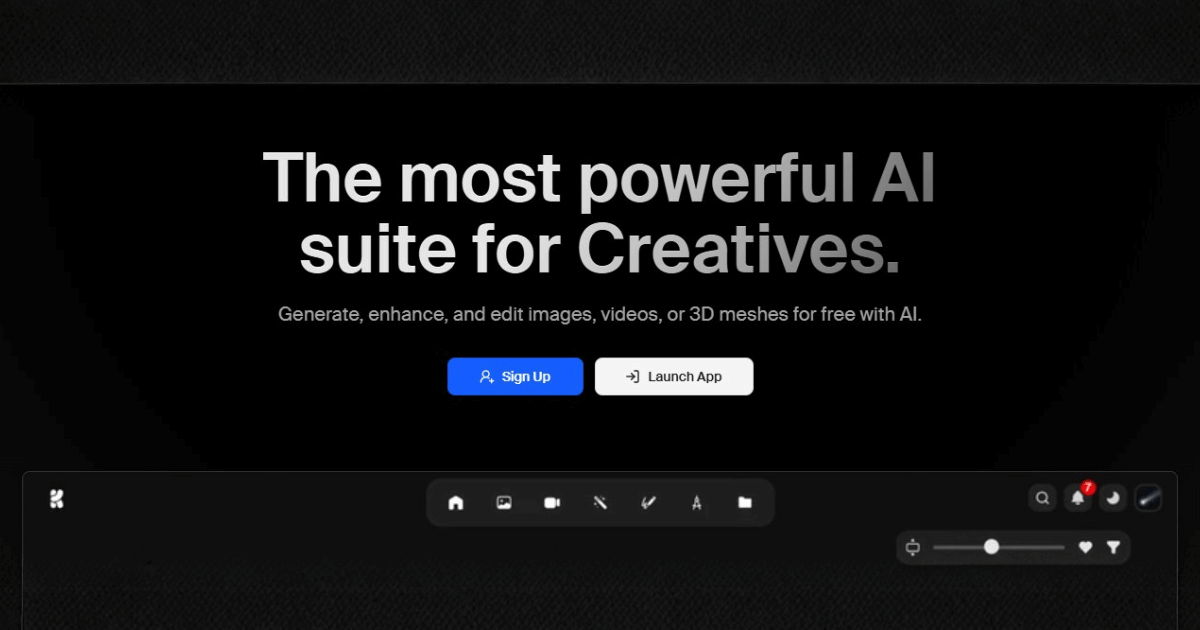
I’ve gathered comprehensive information from Krea AI’s official website. Here’s a detailed, data-driven blog post to help your readers make an informed decision:
- Unified subscription gives access to 64+ top AI models for images, video, and 3D in one platform.
- Real-time generation with industry-leading speed, often under 50 milliseconds for image outputs.
- Powerful enhancement tools including upscaling to 22K for images and 8K for video.
- Flexible pricing with credit rollovers, commercial licensing, and tiers for individuals to enterprise.
What is Krea AI?
Krea AI is a comprehensive AI-powered creative suite designed for generating, editing, and enhancing images, videos, and 3D assets. Krea AI has established itself as a market leader in real-time AI generation for creatives.
What sets Krea AI apart is its unified subscription model—providing access to 64+ industry-leading AI models including Google’s Veo 3, Runway, Flux, Luma, Ideogram, and their proprietary Krea 1 model, all within a single platform. Major brands like LEGO, Samsung, Nike, Microsoft, and Shopify use Krea AI for their creative workflows.
Key Features of Krea AI
Krea AI offers a robust toolset organized into three main categories: Generate, Edit, and Customize.
🎨 AI Image Generation
| Feature | Capability |
|---|---|
| Text to Image | Generate images from text prompts with 1000+ styles and 20+ models |
| Native 4K Generation | Create high-resolution images natively without upscaling |
| Real-time Image Generation | Generate images in under 50ms with instant visual feedback |
| Image Style Transfer | Apply artistic styles from reference images |
| Industry-leading Speed | 3 seconds for a 1024px Flux image at FP16 |
🎬 AI Video Generation
| Feature | Capability |
|---|---|
| Text to Video | Create videos from text descriptions |
| Motion Transfer | Apply motion from reference videos to new content |
| Frame Interpolation | Smooth animations up to 120fps |
| Video Style Transfer | Restyle existing videos with AI |
| Video Upscaling | Enhance videos up to 8K resolution |
| Lipsync | Synchronize lip movements in videos |
🧊 AI 3D Generation
| Feature | Capability |
|---|---|
| Text to 3D Object | Generate 3D meshes from text descriptions |
| Image to 3D Object | Convert 2D images into 3D models |
✨ Enhancement & Editing Tools
| Feature | Capability |
|---|---|
| Image Upscaling | Enhance images up to 22K resolution with 7 upscaling models (including Topaz Photo & Gigapixel) |
| Generative Editing | Add/remove objects, change expressions, merge images using 10 editing models |
| Realtime Canvas | Interactive canvas for instant AI-powered editing |
🔧 Customization & Training
| Feature | Capability |
|---|---|
| Image LoRA Fine-tuning | Train custom models on faces, products, or visual styles |
| Video LoRA Fine-tuning | Create personalized video generation models |
| LoRA Sharing | Share trained models with team members |
| Asset Manager | Full-fledged file management system |
AI Models Available on Krea AI
One of Krea AI’s strongest advantages is access to 64+ cutting-edge AI models in a single subscription:
| Category | Models Included |
|---|---|
| Video | Google Veo 3.1, Runway, Luma, Kling, Hailuo, Wan |
| Image | Flux (BFL), Ideogram, Krea 1 (proprietary), Gemini |
| Editing | Nano Banana, Flux Kontext, Qwen |
| Upscaling | Topaz Photo, Topaz Gigapixel, Topaz Video, Krea Upscaler |
Bleeding-Edge Access: Krea provides access to the latest models on release day—no waiting for integrations.
Krea 1: The Proprietary Flagship Model
Krea AI developed their own ultra-realistic image model called Krea 1, offering unique capabilities:
- Photorealistic skin textures and advanced color science
- Extreme camera angles and dynamic perspectives
- Artistic imperfections like grain, bloom, and blur for authenticity
- High visual complexity handling
- Ultra-realistic surrealism for creative projects
- Simple prompts, strong visuals—minimal prompt engineering required
Krea AI Pricing Plans
Krea AI offers flexible pricing tiers for individuals, teams, and enterprises:
| Plan | Price | Compute Units | Key Features |
|---|---|---|---|
| Free | 0 USD/month | Pay-as-you-go | Free daily generations, basic models, 4 concurrent jobs |
| Individual Basic | ~10 USD/month | 10K units | Premium models, 8 concurrent jobs, commercial license, credit rollovers |
| Individual Pro | Higher tiers available | Up to 40K+ units | Enhanced limits and features |
| Business | Custom pricing | 20K–1.5M units | Up to 100 workspace members, 16 concurrent jobs per member, volume discounts |
| Enterprise | Custom | Unlimited | Priority SLA support, advanced security, custom integrations, no-train policy, MSA legal support, onboarding & training |
Key Pricing Advantages:
- Credit rollovers on paid plans—unused credits carry forward
- Commercial license included on all paid plans
- Volume discounts at scale for business users
Pros and Cons of Krea AI
✅ Pros
- All-in-one platform—64+ AI models for image, video, and 3D in one subscription
- Industry-leading speed—real-time generation under 50ms
- Massive upscaling capability—up to 22K for images, 8K for video
- Bleeding-edge model access—new models available on release day
- No-train policy option—safely generate proprietary data (Enterprise)
- Dead simple UI—no tutorials needed, beginner-friendly
- Multi-language support—write prompts in any language
- Trusted by major brands—LEGO, Nike, Samsung, Microsoft, Shopify
- Credit rollovers—unused credits don’t expire on paid plans
- LoRA fine-tuning—train custom models on your own data
❌ Cons
- Learning curve for advanced features like LoRA training
- Compute units can deplete quickly with heavy video/3D generation
- Premium models require paid plans—free tier has limited model access
- No mobile app—web-based only currently
Who Should Use Krea AI?
Krea AI is ideal for:
- Professional creatives & designers needing access to multiple AI models
- Video producers creating content for social media, ads, or film
- Architects & 3D artists looking for AI-assisted visualization
- Marketing agencies producing high-volume visual content
- E-commerce businesses needing product imagery and videos
- Content creators making TikToks, Reels, and YouTube content
- Enterprises requiring secure, compliant AI generation with custom integrations
Top Krea AI Alternatives to Consider
| Alternative | Best For | Pricing Model | Key Differentiator |
|---|---|---|---|
| Midjourney | Artistic image generation | Subscription | Distinctive artistic style |
| Runway ML | AI video editing | Subscription | Advanced video tools |
| Leonardo AI | Game assets & illustrations | Freemium | Gaming-focused features |
| Pika Labs | Quick video generation | Freemium | Simple video creation |
| Stable Diffusion | Open-source flexibility | Free/Self-hosted | Full customization control |
| Adobe Firefly | Creative Cloud integration | Subscription | Seamless Adobe workflow |
| Luma AI | 3D capture & generation | Freemium | NeRF technology |
Final Verdict: Is Krea AI Worth It?
Krea AI stands out as the most comprehensive AI creative suite available in 2025. Its unique value proposition—64+ industry-leading models in one subscription—eliminates the need for multiple tool subscriptions and provides unmatched flexibility.
The platform excels in three areas: speed (real-time generation under 50ms), quality (22K upscaling, native 4K generation), and accessibility (intuitive UI requiring no tutorials).
Best for: Professional creatives, agencies, and enterprises who need access to multiple AI models and want a unified, powerful creative workflow.
Consider alternatives if: You only need one specific capability (e.g., just image generation) and prefer a more specialized, lower-cost tool.
| Rating Category | Score |
|---|---|
| Features | ⭐⭐⭐⭐⭐ (5/5) |
| Ease of Use | ⭐⭐⭐⭐⭐ (5/5) |
| Value for Money | ⭐⭐⭐⭐ (4/5) |
| Model Variety | ⭐⭐⭐⭐⭐ (5/5) |
| Speed | ⭐⭐⭐⭐⭐ (5/5) |
Overall Rating: 4.8/5 ⭐


 AI/ML Strategy and Consulting
 Data Science And Data Analytics
 Generative AI
 AI Consulting Services
 AI Automation Solutions
 API Integration


