

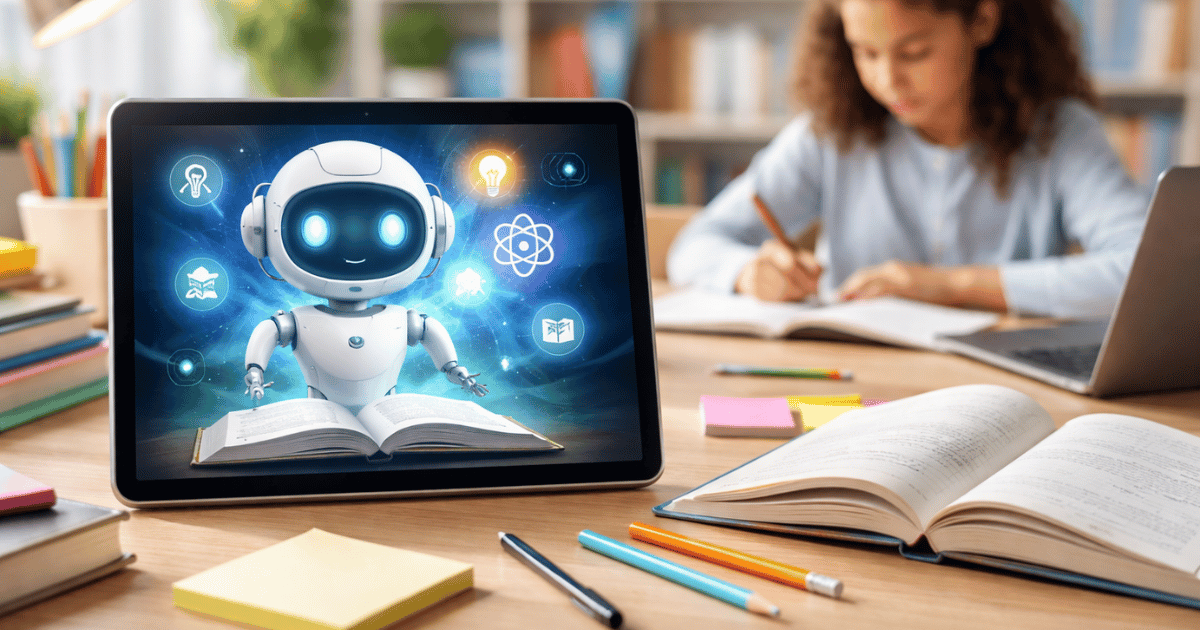
The classroom is evolving fast. Teachers face growing workloads, diverse student needs, and pressure to deliver personalized experiences. AI tools for education are stepping in to bridge these gaps.
- AI augments teachers by automating repetitive tasks like grading and content generation, freeing time for instruction and student interaction.
- Adaptive AI tailors lessons to individual pace and gaps, boosting engagement, retention, and evidence-based interventions.
- Choose tools that integrate with existing systems, protect student data, start small, and verify AI outputs align with learning objectives.
These tools do not replace teachers. They handle repetitive tasks so educators can focus on what they do best — teaching. From lesson planning to grading, AI saves hours every week.
The result? Teachers get breathing room. Students get better attention. Schools see improved outcomes across the board.
How AI Is Reshaping the Learning Experience
AI in education goes far beyond chatbots answering homework questions. Modern educational technology uses machine learning to adapt content to each student’s pace and style.
Think of it as a digital teaching assistant that never sleeps. It identifies where a student struggles, adjusts difficulty in real time, and flags patterns a teacher might miss. This kind of personalized learning with AI was impossible just a few years ago.
Schools using AI-powered learning platforms report higher engagement and better retention rates. The shift is not theoretical — it is happening in classrooms worldwide right now.
10 AI Tools for Education Worth Exploring
1. MagicSchool.ai — The All-in-One Teacher Companion
MagicSchool.ai was built specifically for educators. It generates lesson plans, rubrics, assessments, and differentiated materials in minutes.
Teachers select a tool, enter a few details, and receive ready-to-use content. It currently offers over 60 specialized AI tools aligned with educational standards. It is one of the most purpose-built AI classroom tools available today.
Best for: Lesson planning, assessment creation, and differentiation.
2. ChatGPT — The Versatile Knowledge Partner
OpenAI’s ChatGPT remains one of the most widely adopted AI learning tools in education. Teachers use it to brainstorm ideas, draft emails, explain complex topics, and create practice problems.
Its strength lies in versatility. You can use it for nearly any subject, any grade level, and any format. The key is writing clear, specific prompts to get the best results.
Best for: Research assistance, content drafting, and concept explanation.
3. Claude — Deep Thinking for Curriculum Design
Claude, developed by Anthropic, stands out for its thoughtful, nuanced responses. Its “Projects” feature lets teachers upload curriculum documents and get AI support grounded in their own materials.
This makes Claude especially useful for curriculum alignment and long-form content development. It handles complex reasoning tasks with impressive accuracy.
Best for: Curriculum planning, long-form writing, and document analysis.
4. Curipod — Interactive Lessons That Engage Students
Curipod uses AI to help teachers create interactive slide-based lessons with built-in polls, word clouds, drawings, and open-ended questions.
Students participate in real time from their devices. The AI can generate entire lesson frameworks around a single topic in seconds. It transforms passive lectures into active learning experiences.
Best for: Student engagement, formative assessment, and interactive presentations.
5. Gradescope — AI-Powered Grading at Scale
Grading is one of the most time-consuming tasks for educators. Gradescope uses AI to speed up the process by grouping similar answers and allowing batch grading.
It works for handwritten assignments, coding projects, and exams. Instructors report saving up to 70% of their grading time while maintaining consistency across large classes.
Best for: Grading efficiency, feedback consistency, and large class management.
6. Eduaide.AI — A Lesson Planning Powerhouse
Eduaide.AI provides access to over 100 resource types, from quiz generators to reading comprehension builders. It supports multiple languages and aligns with international curricula.
Teachers can generate differentiated materials for various learning levels within the same class. This makes it a strong choice for inclusive classrooms.
Best for: Differentiated instruction, multilingual support, and resource generation.
7. Canva for Education — Visual Content Made Simple
Canva’s education suite now includes AI-powered features like Magic Write and text-to-image generation. Teachers and students create presentations, infographics, and project visuals without design skills.
Its drag-and-drop interface keeps the learning curve low. The platform is free for verified educators, making it accessible to schools with limited budgets.
Best for: Visual projects, presentations, and creative assignments.
8. Google NotebookLM — Research and Study Reinvented
Google’s NotebookLM lets users upload documents, articles, or notes and then ask questions about that content. The AI grounds its responses strictly in the uploaded material.
This reduces hallucinations — a common problem with general-purpose AI. Students learn to interact with source material critically. Teachers use it to build study guides from existing resources.
Best for: Research projects, source-based learning, and study guide creation.
9. Grammarly — Writing Support Beyond Spell Check
Grammarly has evolved into a full AI writing assistant. It checks grammar, tone, clarity, and even originality. The AI suggestions help students improve their writing skills over time.
Teachers can set goals for audience and formality, guiding the AI to give context-appropriate feedback. It works across platforms — from Google Docs to email clients.
Best for: Writing improvement, grammar coaching, and tone adjustment.
10. Writable (by HMH) — Structured Writing Practice With AI Feedback
Writable provides a structured environment where students practice writing and receive AI-generated feedback before the teacher reviews. It streamlines the revision process.
Teachers assign prompts, set rubrics, and let the AI handle initial feedback rounds. This gives students faster turnaround without adding to the teacher’s workload.
Best for: Writing instruction, peer review workflows, and formative feedback.
How to Choose the Right AI Learning Tools
Not every tool fits every classroom. Consider these factors when evaluating options:
- Purpose: Does it solve a specific pain point like grading, planning, or engagement?
- Ease of use: Can you start using it within 15 minutes without formal training?
- Privacy and compliance: Does it meet FERPA, COPPA, or your district’s data policies?
- Integration: Does it work with your existing LMS (Google Classroom, Canvas, etc.)?
- Cost: Is there a free tier for educators, or does it require a school-wide license?
Start with one tool. Master it. Then expand your toolkit based on what your students actually need.
Common Mistakes to Avoid With AI in Education
Many educators rush into adopting AI without a clear plan. Here are pitfalls to watch for.
First, avoid using AI-generated content without reviewing it. AI can produce inaccuracies. Always verify facts and check alignment with your learning objectives.
Second, do not use AI tools that collect student data without proper vetting. Data privacy remains a serious concern in educational technology.
Third, resist the urge to automate everything. AI handles tasks efficiently, but human connection drives real learning. Use AI to free up time for meaningful student interactions.
What the Future Holds for AI-Powered Learning Platforms
The next wave of AI in education will focus on adaptive learning paths and predictive analytics. Tools will anticipate where students might fall behind before it happens.
Expect deeper integration with learning management systems. AI will move from standalone apps to embedded features within platforms teachers already use daily.
Voice-based AI tutors, real-time language translation, and emotion-aware feedback systems are also on the horizon. The goal is not more technology — it is smarter, more humane technology.
FAQs
Top options include MagicSchool.ai, ChatGPT, Claude, Curipod, and Gradescope. Each serves different needs from lesson planning to grading and student engagement.
Most reputable tools comply with FERPA and COPPA. Always verify a tool’s privacy policy and check with your school district before introducing it to students.
No. AI handles repetitive tasks like grading and content generation. Teachers provide mentorship, emotional support, and critical thinking guidance that AI cannot replicate.
Start with one free tool like Canva for Education or Grammarly. Experiment with a single task such as lesson planning or feedback. Expand usage as your confidence grows.
Yes. Tools like Eduaide.AI and MagicSchool.ai support differentiation across grade levels and subjects. Many also offer multilingual capabilities for diverse classrooms.




 AI/ML Strategy and Consulting
 Data Science And Data Analytics
 Generative AI
 AI Consulting Services
 AI Automation Solutions
 API Integration


