
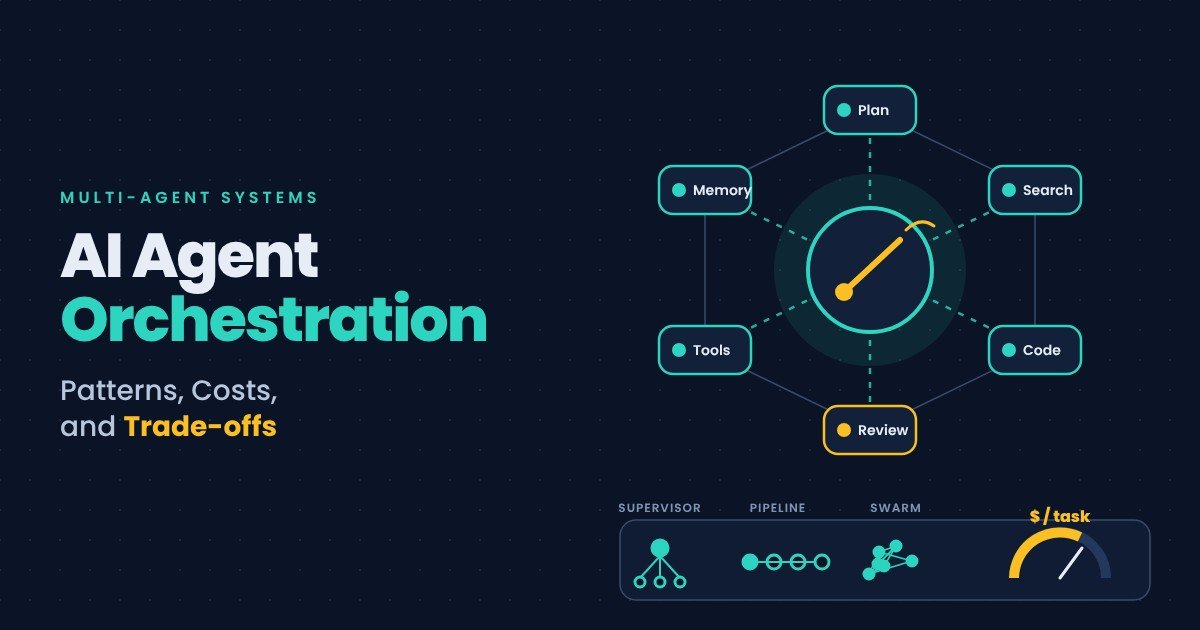
Most guides on AI agent orchestration compare frameworks. They list features, draw a table, and declare a winner.
That misses the actual decision. Picking a framework is easy. Deciding whether you need orchestration at all is hard, and getting it wrong is expensive.
Here is the uncomfortable starting point: for most tasks, one well-equipped agent beats a team of specialists. Every time you split work across agents, you add model calls, latency, and places for things to go wrong.
This guide covers what orchestration is, the patterns that exist, what each costs, and how to tell when you genuinely need one.
What AI Agent Orchestration Actually Means
Orchestration is the layer that decides which agent does what, in what order, and with what information.
A single agent is simple. It receives a request, picks tools, and acts.
Multi-agent orchestration adds coordination. A planner might break a job into pieces. A specialist handles each piece. Something assembles the results.
Think of it as the difference between one capable generalist and a team with a project manager. The team can handle more. It also needs meetings.
That last part is the whole trade-off. Coordination has a cost, and in agent systems that cost is paid in tokens, time, and debugging difficulty.
Start Here: Why One Agent Usually Wins
This is the advice most orchestration content skips, and it is the most valuable.
Framework documentation increasingly says the same thing. If a single agent with the right tools can do the job, use that.
The reason is arithmetic. Every delegation hop adds at least one model call. In one published comparison, a simple request consumed four model calls using subagents, versus three using a router or handoff. On a high-volume workflow, that difference compounds into real money.
There is a debugging cost too. When a single agent fails, you read one trace. When five agents fail, you work out which one broke and why the others accepted its output.
So the honest default is a single agent plus good tools. Add orchestration when you hit a specific wall, not because multi-agent sounds more capable.
The Two Moves Every Pattern Is Built From
Strip away the vocabulary and there are only two coordination moves.
Delegate and return. The main agent hands a subtask to another agent, waits, and gets a result back. The main agent stays in charge and produces the final answer.
Transfer control. The main agent hands the conversation over entirely. The new agent now talks to the user directly for the rest of the turn.
Every named pattern is a variation on one of these. Once you see that, the framework comparisons get much easier to read.
The Seven Core Orchestration Patterns
| Pattern | What it does | Best used when |
|---|---|---|
| Agent-as-tool | A specialist is wrapped as a function the caller invokes | You want one place to control guardrails, tone, and formatting |
| Subagents | Delegate with a fresh context window; only the result returns | The subtask would otherwise flood your context window |
| Orchestrator-worker | A planner splits the task at runtime and synthesises results | You cannot know the subtasks until you see the input |
| Supervisor | A persistent orchestrator that keeps context across turns | The lead must remember earlier turns or merge several answers |
| Router | One classification step sends the request to one specialist | Each request belongs to exactly one specialist |
| Handoff | Control transfers; the specialist answers the user directly | The specialist needs a real back-and-forth with the user |
| Swarm | Handoffs with no central coordinator | Topics drift unpredictably between specialists |
An eighth option exists for crossing organisational boundaries. Agent-to-agent protocols let agents from different teams or vendors discover and call each other. Use these only when the other agent genuinely belongs to someone else’s system.
Agent-as-tool and subagents: the sensible starting points
These two are supported by essentially every framework, and they solve the most common problems.
Agent-as-tool keeps you in control. Your main agent calls a specialist the way it would call any function. The main agent still owns the final response, so your formatting rules and safety checks apply in one place.
Subagents solve a different problem: context overflow. If a task involves reading a large codebase or thousands of log lines, that content will swamp your main agent’s context window. A subagent reads it in isolation and returns only the conclusion.
If you are starting out, pick one of these two. They cover most real needs.
Orchestrator-worker and supervisor: for genuine planning
Use these when the breakdown of work cannot be written in advance.
An orchestrator-worker setup has a model decide the subtasks at runtime. This is powerful and expensive, because the planning step is itself a model call that can be wrong.
A supervisor is an orchestrator that persists across the conversation. It remembers what happened earlier. Use it when a multi-turn task needs memory of previous steps.
Important caveat: if your task decomposition is always the same, do not use these. A fixed pipeline is cheaper, faster, and far easier to debug than asking a model to re-plan identical work every time.
Router: the underrated option
A router does one classification call and sends the request onward.
It is the cheapest form of coordination, and it handles a surprising share of real use cases. Support tickets, document types, sales enquiries — anything where each input belongs to exactly one category.
Many teams build a supervisor when a router would have done the job for a fraction of the cost.
Handoffs and swarms: when the user needs the specialist
Handoffs transfer the conversation. The specialist talks to the user directly.
This matters for genuinely interactive work. If a billing specialist needs to ask three follow-up questions, routing each answer back through a supervisor wastes calls and adds latency.
Swarms remove the central coordinator entirely. Agents hand off to each other freely, and the system remembers who is active.
Swarms are flexible and genuinely risky in production. With no central point, you lose the single place to enforce spending limits, apply guardrails, and collect traces. Use them only when conversation topics really do wander unpredictably.
How to Choose a Pattern
Work through these questions in order.
- Can one agent with good tools do this? If yes, stop. Build that.
- Is the problem context size? Use subagents for isolation.
- Do you need one place for guardrails and formatting? Use agent-as-tool.
- Does each request belong to exactly one specialist? Use a router.
- Is the task breakdown unpredictable? Use orchestrator-worker.
- Does the task span multiple turns with memory? Use a supervisor.
- Must the specialist converse with the user? Use handoffs.
- Does the other agent belong to another team? Use an agent-to-agent protocol.
Notice that six of these eight answers are cheaper than the thing most teams build first.
What Orchestration Actually Costs
Four costs are worth budgeting for explicitly.
Token cost. Every hop adds model calls. Planning steps add more. A multi-agent version of a workflow commonly costs two to four times the single-agent version.
Latency. Agents in sequence wait for each other. Users notice. Parallel execution helps, but only when subtasks are genuinely independent.
Failure surface. More components means more ways to fail, and compound failures are harder to diagnose than single ones.
Evaluation difficulty. Testing one agent is manageable. Testing a system where the planner’s output changes what the workers see is substantially harder.
None of these are reasons to avoid orchestration. They are reasons to earn it.
What Breaks in Production
Teams that run agent systems at scale report the same handful of problems.
Observability comes last and should come first. You need per-agent traces, token counts, and tool-call logs from day one. Retrofitting this is painful.
Budget limits need a central enforcement point. This is the strongest argument against swarm architectures. Without a coordinator, a runaway loop has nothing to stop it.
Context handoffs lose information. When one agent summarises for another, detail disappears. Errors introduced at that boundary are invisible downstream.
Guardrails get duplicated or forgotten. If every agent applies its own safety checks, they drift. Centralise them.
Retries multiply. A retry inside a subagent, inside a retried orchestrator step, produces far more calls than anyone intended. Set limits at every level.
A Practical Rollout Sequence
For a team adding orchestration to an existing agent, this order works well.
- Instrument the single agent first. Get traces and token counts working.
- Find the specific failure. Context overflow, wrong tool choice, or inconsistent output quality.
- Add the narrowest pattern that fixes it. Usually subagents or a router.
- Measure the cost change honestly, including latency.
- Only then consider planning-based patterns.
This sequence prevents the common failure: building an elaborate multi-agent system and discovering the original problem was a badly described tool.
Final Thoughts
AI agent orchestration is a real discipline with real patterns, and the patterns are simpler than the vocabulary suggests. Everything reduces to delegate-and-return or transfer-control, applied with different amounts of coordination.
The judgement that separates working systems from expensive ones is restraint. Orchestration solves context limits, centralises guardrails, and crosses team boundaries. It does not make an agent smarter.
If your agent is failing because the task is genuinely too large for one context window, split it. If it is failing because your tool descriptions are vague or your prompt is unclear, no amount of orchestration will help. It will just cost more while failing.
Start with one agent. Instrument it properly. Add coordination when you can name the wall you hit.
FAQs
What is AI agent orchestration?
It is the layer that decides which agent handles which task, in what order, and with what context. It coordinates multiple agents toward one outcome.
When should I use multiple agents instead of one?
Use multiple agents for context isolation, centralised guardrails, or crossing team boundaries. For most other tasks, one agent with good tools performs better and costs less.
What is the difference between a router and a supervisor?
A router makes one classification call and passes the request on. A supervisor stays active across the whole conversation, keeping context and merging results.
Does multi-agent orchestration cost more?
Yes. Each delegation adds at least one model call, so multi-agent workflows commonly cost two to four times a single-agent equivalent.
Which orchestration pattern should I start with?
Start with agent-as-tool or subagents. Every major framework supports both, and together they solve the most common problems teams actually hit.

 AI/ML Strategy and Consulting
 Data Science And Data Analytics
 Generative AI
 AI Consulting Services
 AI Automation Solutions
 API Integration